SuperCook Alternatives: What to Use Instead (2026)
SuperCook is excellent at listing every recipe you can make right now — then it hands you 20 results and leaves the deciding to you. Here are the best SuperCook alternatives in 2026, what each one actually fixes, and when you should simply stay with SuperCook.
 PanSnap Team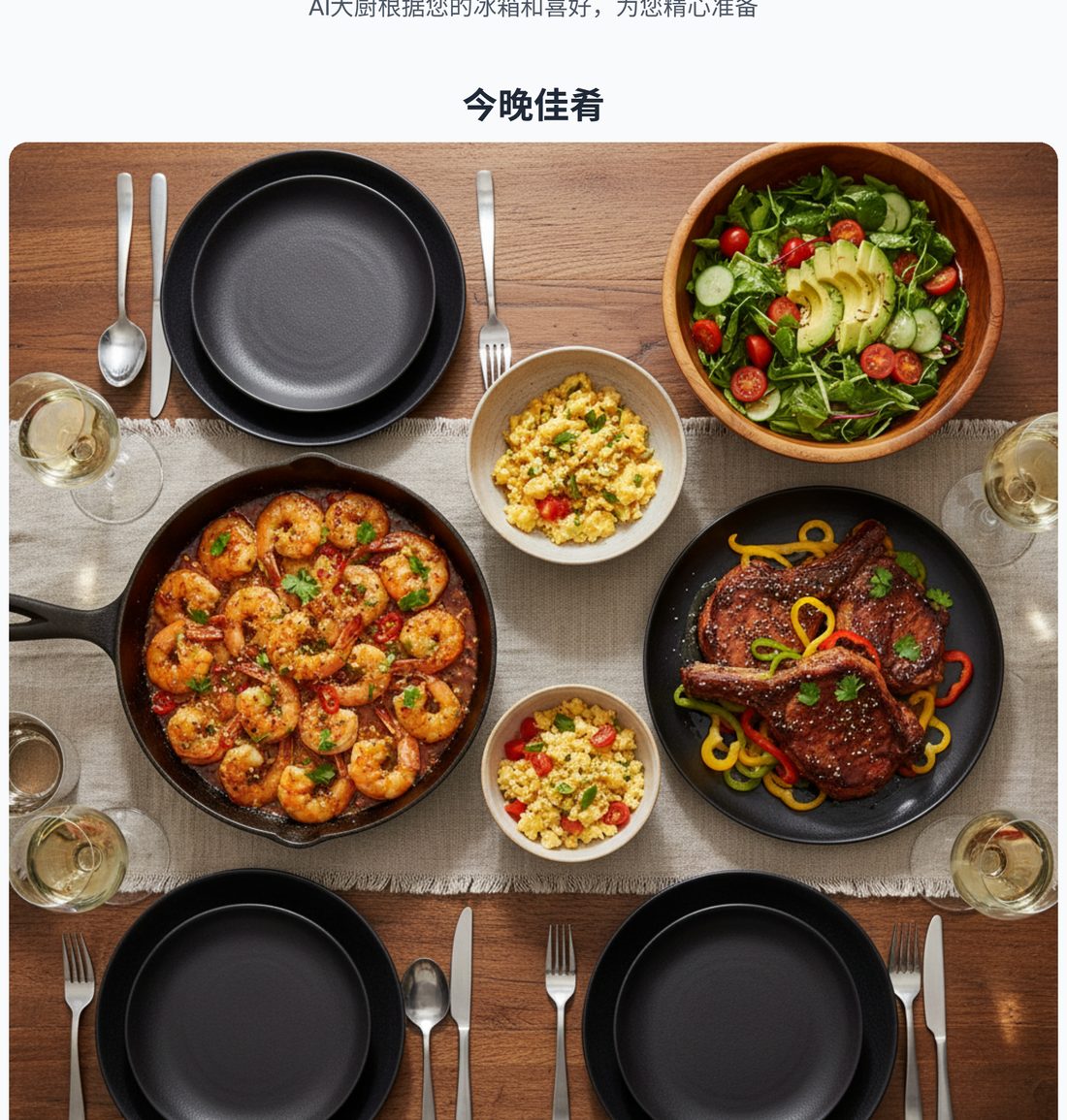
The best SuperCook alternatives in 2026 are MyFridgeFood (if you want the same checkbox experience somewhere else, free), Cooklist (if you want it tied to what you actually bought), Samsung Food (if you want recipes, meal plans and shopping lists in one place), and PanSnap (if the problem is not finding recipes but deciding what to cook).
SuperCook is genuinely good at one job: you tick the ingredients you have, and it returns every recipe you can make right now — free, from a database of millions of published recipes. The catch is what happens next. It hands you a list and stops. You still have to choose, and once you have chosen there is no help getting it onto a plate.
So which alternative is right depends on which part stalls you. This page goes through each one honestly, including where they are worse than SuperCook, and ends with a straight answer on when to change nothing at all.
The quick verdict
| Tool | Best for | Cost | The honest catch |
|---|---|---|---|
| SuperCook | Browsing every possible recipe at once | Free | Ends where the hard part begins — a list is not a decision |
| MyFridgeFood | The same checkbox idea, somewhere else | Free | Smaller database; same structural limit |
| Cooklist | Knowing what you actually have, from receipts | Free tier | Only works if your store is supported; still ends in a list |
| Samsung Food | Recipes + meal plan + shopping list together | Free | More of a collection tool than a "what's for dinner" answer |
| PanSnap | Being told what to cook, with a finished recipe book | Free to start | Deliberately decisive — if you enjoy browsing, you will find it pushy |
SuperCook: what it actually does well
Credit where it is due. SuperCook solved the hard technical problem early and solved it well. You add what is in your kitchen — from category lists, or by search — and it filters a genuinely enormous recipe database down to the ones you can make tonight. The "ignore staples" toggle is a small but real piece of design: it stops the tool assuming you are out of salt and oil, and the matches get noticeably sharper.
For a free tool with that coverage, it is hard to beat as a reference. If you already know how to cook and just want a memory jog — "oh right, I can do something with the chickpeas" — SuperCook is the fastest route to that jog.
Where SuperCook stops helping
The limitation is structural, not a bug. SuperCook answers "what could I make?" It does not answer "what should I make?"
That distinction sounds academic until it is 6pm. You have twenty matching recipes. Twenty options is not an answer; it is a new decision, and it is the same decision you were already stuck on. Meanwhile:
- There is no portion guidance, so nothing tells you whether to cook two chicken breasts or four.
- There is no step-by-step cook mode — you get a link to someone else's recipe page, which may or may not be clear.
- The recipes come from across the web, so quality and clarity vary wildly between two results in the same list.
- Nothing coordinates. If you pick a main, you are on your own for a side.
If your actual problem is "I do not know what exists in my kitchen," SuperCook has already solved it. If your problem is "I know what is in my kitchen and I still cannot make myself decide," SuperCook has moved the bottleneck rather than removed it.
MyFridgeFood — the closest free alternative
MyFridgeFood is the most direct substitution if you simply want the SuperCook experience in a different interface. Tick what you have, get recipes you can make, filter by a few basics like cook time.
What is better than SuperCook: the recipe set is smaller and more curated. Some people find SuperCook's firehose exhausting — hundreds of loose matches, many of them marginal — and prefer fewer, more deliberate results.
What is worse: the smaller database means an unusual ingredient combination can come back nearly empty. Add a niche ingredient and you may get almost nothing, where SuperCook would have found five loose matches.
The honest verdict: a fine free backup to SuperCook. But it is the same shape of tool — a matcher and a list, not a guide. Swapping between the two does not change what you do at 6pm.
Cooklist — knows what you actually bought
Cooklist's interesting move is connecting to your grocery store loyalty account and pulling in your real purchase history, so its idea of "what you have" comes from receipts rather than a checklist you have to maintain by hand. It also tracks rough freshness, nudging you toward the things that are about to turn.
What is better than SuperCook: less manual entry. If you shop at one chain and always use the same card, Cooklist's pantry maintains itself. SuperCook's accuracy is entirely a function of how diligently you tick boxes — and diligence is exactly what runs out first.
What is worse: the loyalty sync only helps if your store is supported and you actually use the card. And like all inferred inventories, it drifts out of date the moment you buy something at a corner shop or cook without scanning. At the end you still get a browse-and-choose list.
The honest verdict: a smarter SuperCook, not a differently shaped one. Best if the manual entry is what defeated you.
Samsung Food — the meal-planning ecosystem
Samsung Food (formerly Whisk) is a recipe collection and meal planning platform: save recipes from anywhere, organise them, build a weekly plan, generate a shopping list. It is a well-built product and, being Samsung-owned, it is not going anywhere.
What is better than SuperCook: it thinks in weeks, not just tonight. If your problem is "I keep failing to plan and then ordering takeout", a weekly plan plus a shopping list addresses the cause rather than the symptom.
What is worse: it is a collection and planning tool, not a "what can I make from what is in front of me" tool. You largely bring the recipes. If your fridge is a random assortment and you want tonight handled, Samsung Food asks you to do more work before it helps.
The honest verdict: excellent if you are willing to plan ahead. Poorly suited to the specific moment SuperCook serves — empty fridge knowledge, full fridge, 6pm.
PanSnap — a menu instead of a list
PanSnap starts the same way: photograph your fridge or type what you have. Then it does something different. Instead of returning matches, it writes a complete dinner menu — two to four dishes that are planned to work together, not four separate recipes you have to coordinate yourself.
Each dish comes with step-by-step instructions and generated photographs for the stages that are hard to describe in words (what "sear until golden" actually looks like). Portions scale to how many people you are feeding. And the whole thing exports as a paginated, illustrated recipe book you can keep, print, or share.
What is better than SuperCook:
- It decides. You get a menu, not a list. The decision is the product.
- Dishes are coordinated — a main, a side, and a sauce that are designed as one meal.
- Every step is illustrated, which is the difference between "read a recipe" and "follow one".
- It outputs something finished: a recipe book, not a set of links.
What is worse — and this matters:
- The recipes are generated, not drawn from published, human-tested recipes. SuperCook's database is millions of recipes real people have cooked and corrected. That is a genuine advantage and we do not have it.
- If you enjoy browsing options and picking yourself, PanSnap will feel like it is taking something away from you. It is deliberately decisive.
- SuperCook is free and always will be. PanSnap is free to start but the recipe book export and heavier use run on credits.
The honest verdict: PanSnap is not a SuperCook replacement for browsing. It replaces the part of the evening that SuperCook leaves unfinished.
How to choose
Ask what actually goes wrong:
"I do not know what is in my kitchen." → SuperCook, and tick diligently. This is the problem it solved.
"I know what is in there and I cannot be bothered to enter it." → Cooklist, if your store is supported.
"I get a list and then I still do not cook." → PanSnap or another decision-first tool. More options is not what is missing.
"I want to cook from what I have every day, not just tonight." → Samsung Food, and plan the week.
"I just want the same thing somewhere less cluttered." → MyFridgeFood.
And a fifth answer worth saying plainly: if SuperCook is working for you, keep it. The tool is not the problem for everyone, and a comparison page that pretends otherwise is not worth reading.
Five things that help regardless of which tool you use
The bottleneck is often not the tool but the habit around it.
- Cook around one "use it up" item. Pick the thing that will be dead in two days — the wilting herbs, the half pepper, the open cream — and build the meal around rescuing that. It converts a vague "what's for dinner" into a concrete constraint.
- Keep a five-minute pan sauce in your back pocket. Deglaze the pan with stock or wine, swirl in butter, done. It turns any seared protein into something that tastes deliberate.
- Treat a rice pouch or frozen grain as your default base. If the starch is already handled, the only real cooking is one fresh thing.
- Default to one pan. Protein, a quick vegetable, a starchy base. Cooking from what you have works when the cleanup is one pan, not five.
- Decide before you are hungry. Decision fatigue is worst at peak hunger. Choosing at 5pm for a 6:30 dinner is dramatically easier than choosing at 6:25.
Frequently asked questions
Is there a free SuperCook alternative?
Yes. MyFridgeFood is the closest free equivalent — the same tick-the-ingredients approach with a smaller, more curated recipe set. SuperCook itself is also free, which is worth remembering: "alternative" does not have to mean "paid replacement".
What is better than SuperCook?
It depends which part fails you. MyFridgeFood is better if you want less clutter. Cooklist is better if manual entry is the blocker. Samsung Food is better if you want to plan a whole week. PanSnap is better if the problem is deciding rather than finding. There is no single better tool, only a better fit.
Is SuperCook still good in 2026?
Yes. It remains the largest free ingredient-matching database, and the "ignore staples" option keeps it accurate. Its limitation has never been capability — it is that it answers "what could I make" and most people at 6pm are asking "what should I make".
Does SuperCook have an app?
Yes, on both iOS and Android. That is a real advantage over browser-only tools — PanSnap is web-first, and being able to check your fridge and get an answer while standing in the kitchen is a genuine convenience SuperCook has and we do not.
Can any of these make a recipe book?
PanSnap does — it exports a paginated, illustrated recipe book, which is the reason the tool exists. Most ingredient-matching tools stop at returning recipes; the recipe book is a different output, closer to "here is dinner, documented" than to "here are some links".
Are the recipes on SuperCook tested?
They are published recipes drawn from across the web, so they have generally been cooked by the people who wrote them — but quality and clarity vary a lot between results, which is normal for an aggregator. Generated menus (PanSnap and similar tools) invert the trade-off: consistent structure and illustrated steps, but not a recipe a human has cooked and corrected before you.
Try it with your own ingredients
If what you actually want is to stop deciding, the fastest test is your own fridge. Photograph it or type four or five things you have, and see whether the menu that comes back is one you would cook tonight.
Start free — no account needed
If you would rather browse first, SuperCook is still the right tool, and this page is not going to pretend otherwise.